The web dashboard that
builds itself
Tell Webclaw your industry. It reads your skills, picks modules, and renders your entire dashboard. Zero configuration.
Powered by AURA: Adaptive User-Responsive Architecture
Open Source · GPL-3.0 License · Self-Hosted · $0 forever
Everything Your Skills Need
Schema-driven rendering means your skills get a professional web UI for free.
Zero-Config Forms
Define actions in SKILL.md. Forms appear automatically with typed fields, validation, and entity lookups.
Smart Data Tables
Column types inferred from data. Currencies formatted, dates localised, statuses colour-coded.
AI Chat Panel
Ask questions, resolve entities, and execute actions through natural language alongside your data.
Cross-Skill Lookups
Reference customers, items, accounts, and employees across different skills.
AURA Profiles
10 industry profiles. AI asks what business you run, auto-configures modules, adapts vocabulary.
Role-Based Access
JWT auth, RBAC middleware, audit logging built in. Every action verified and logged.
Real-Time Updates
Server-sent events power live notifications, data refresh, and connection status.
Industry Verticals
Works with PropClaw, HealthClaw, EduClaw, and any future vertical, all rendered automatically.
Mobile Responsive
Cards on mobile, tables on desktop. Same data, optimal layout for every screen size.
Works with any skill
Webclaw is not just for ERPClaw. It auto-generates UI for any OpenClaw skill that has a SKILL.md file.
PropClaw
Property management: leases, tenants, maintenance.
HealthClaw
Healthcare with dental, mental health, veterinary sub-verticals.
Webclaw renders them all
One dashboard. Any skill. Webclaw reads SKILL.md metadata and auto-generates forms, data tables, navigation, and dashboards. Install a new skill: it appears in the sidebar automatically.
See it in actionSee It in Action
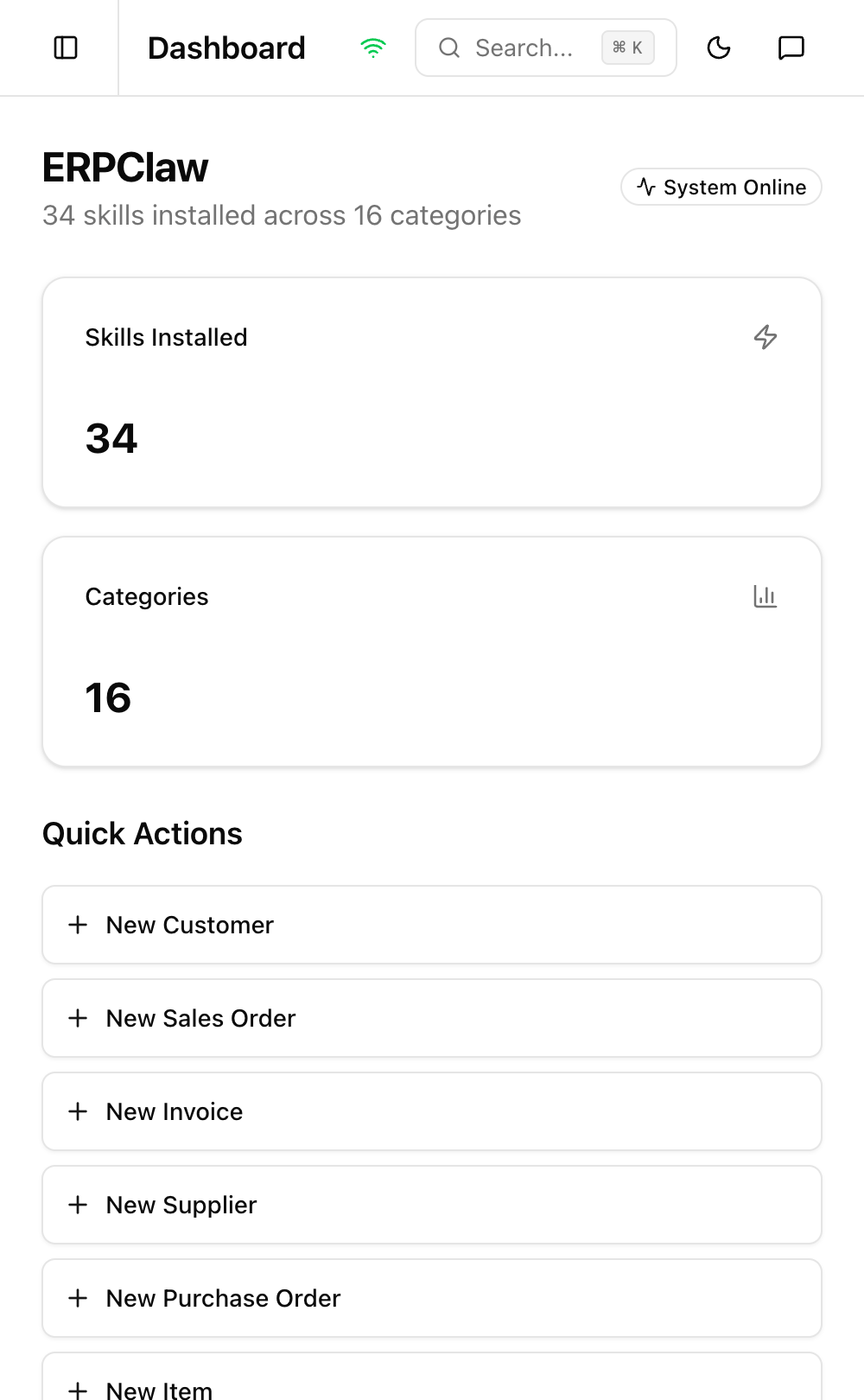
Real screenshots from a production deployment running 41 skills.
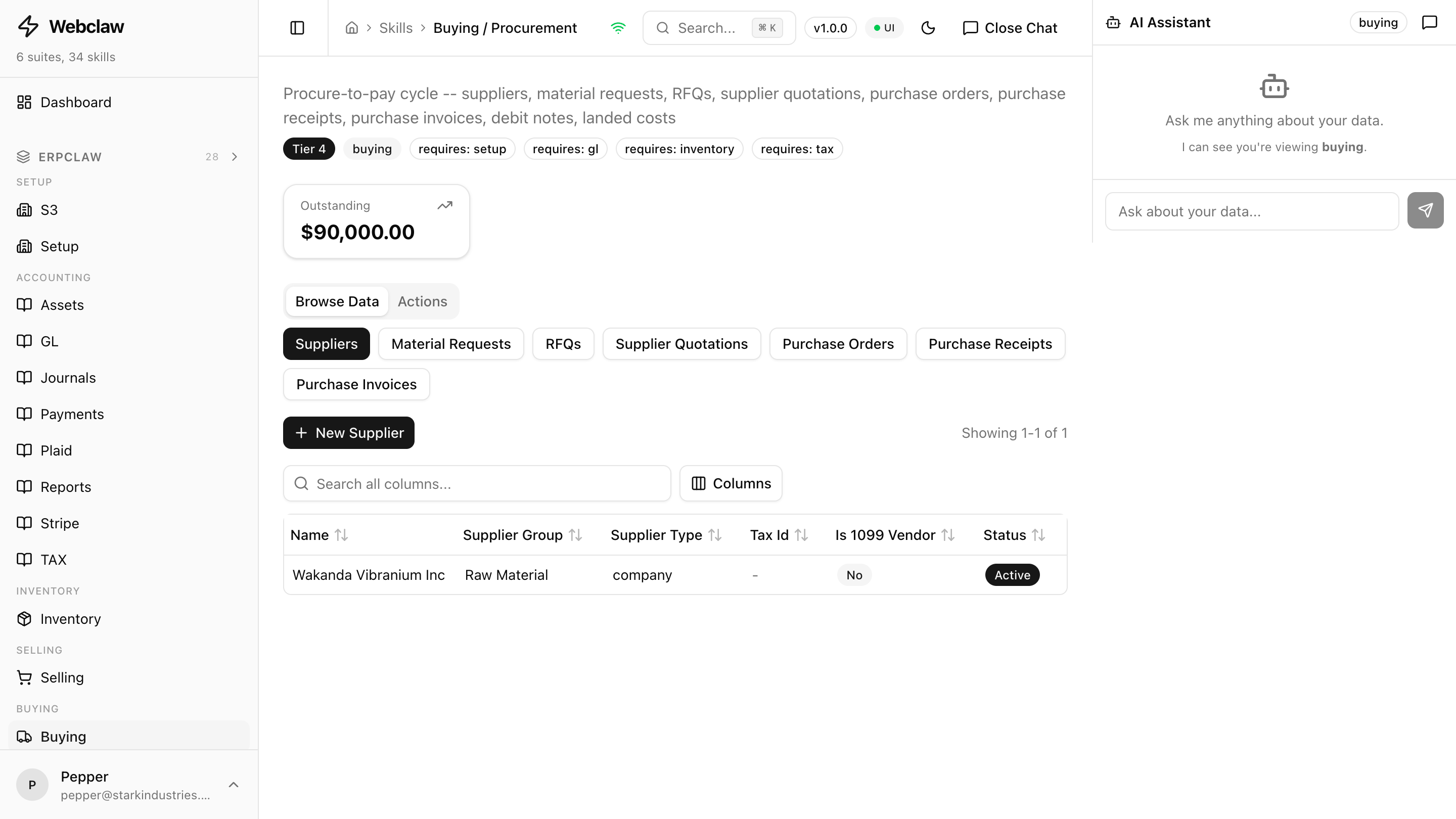
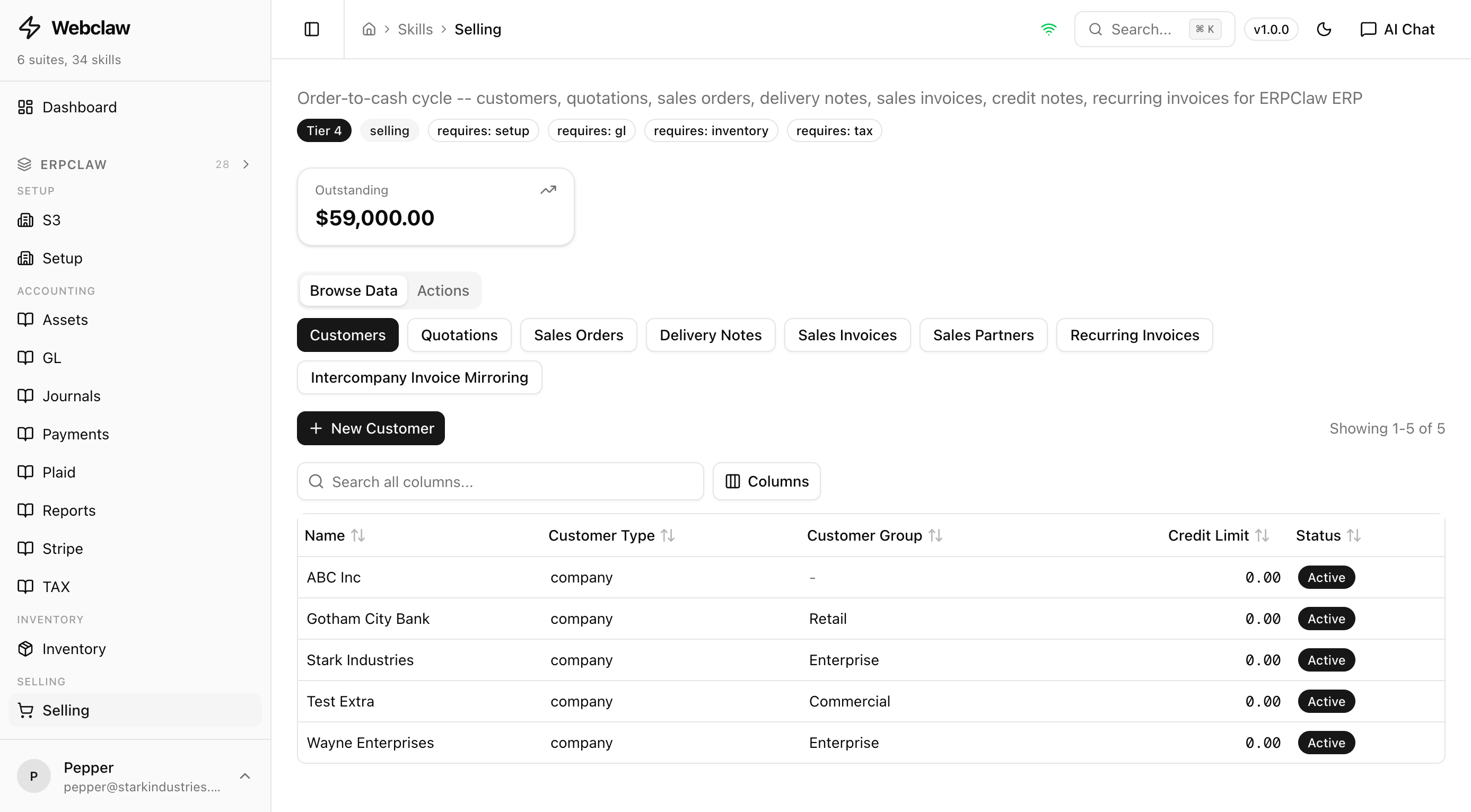
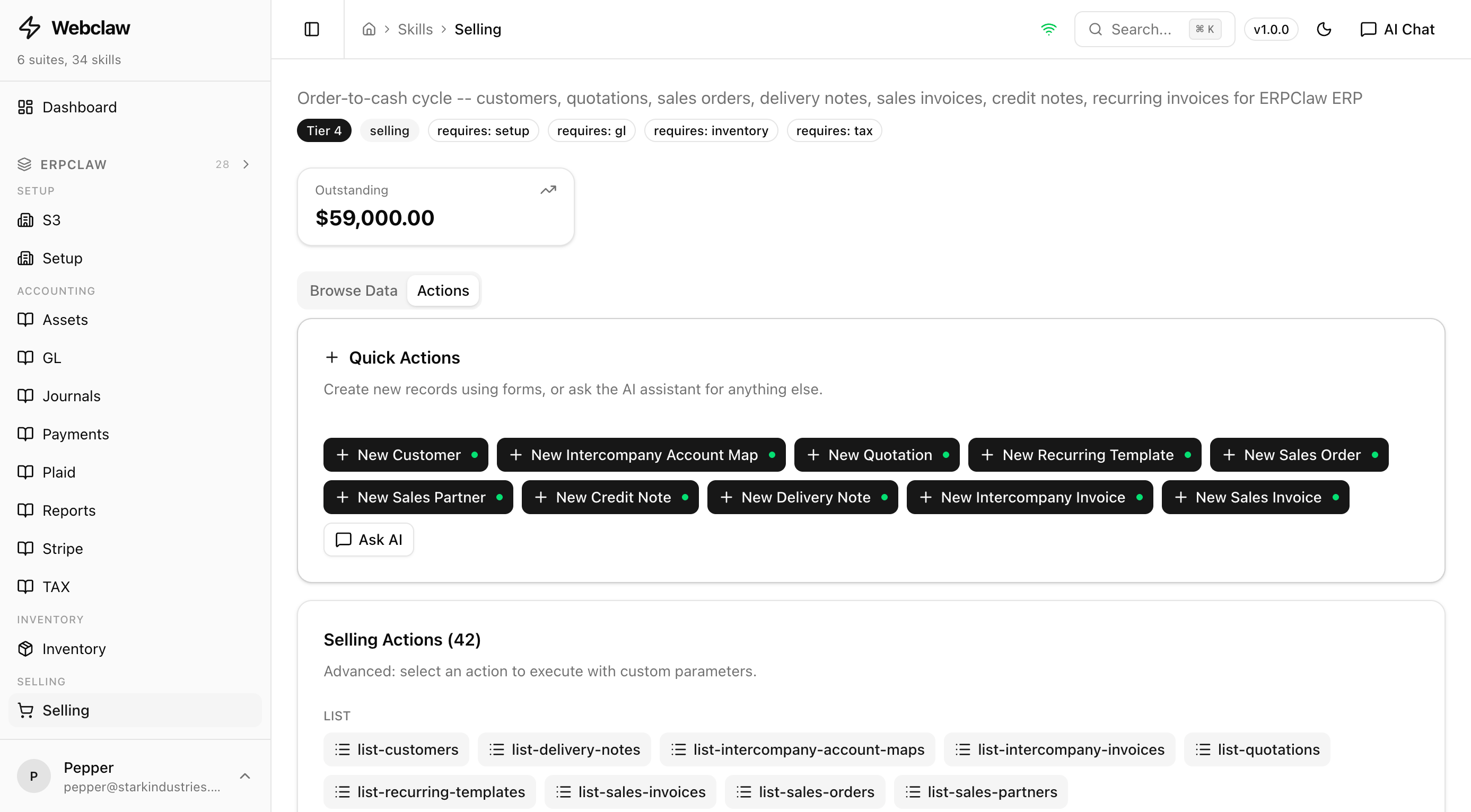
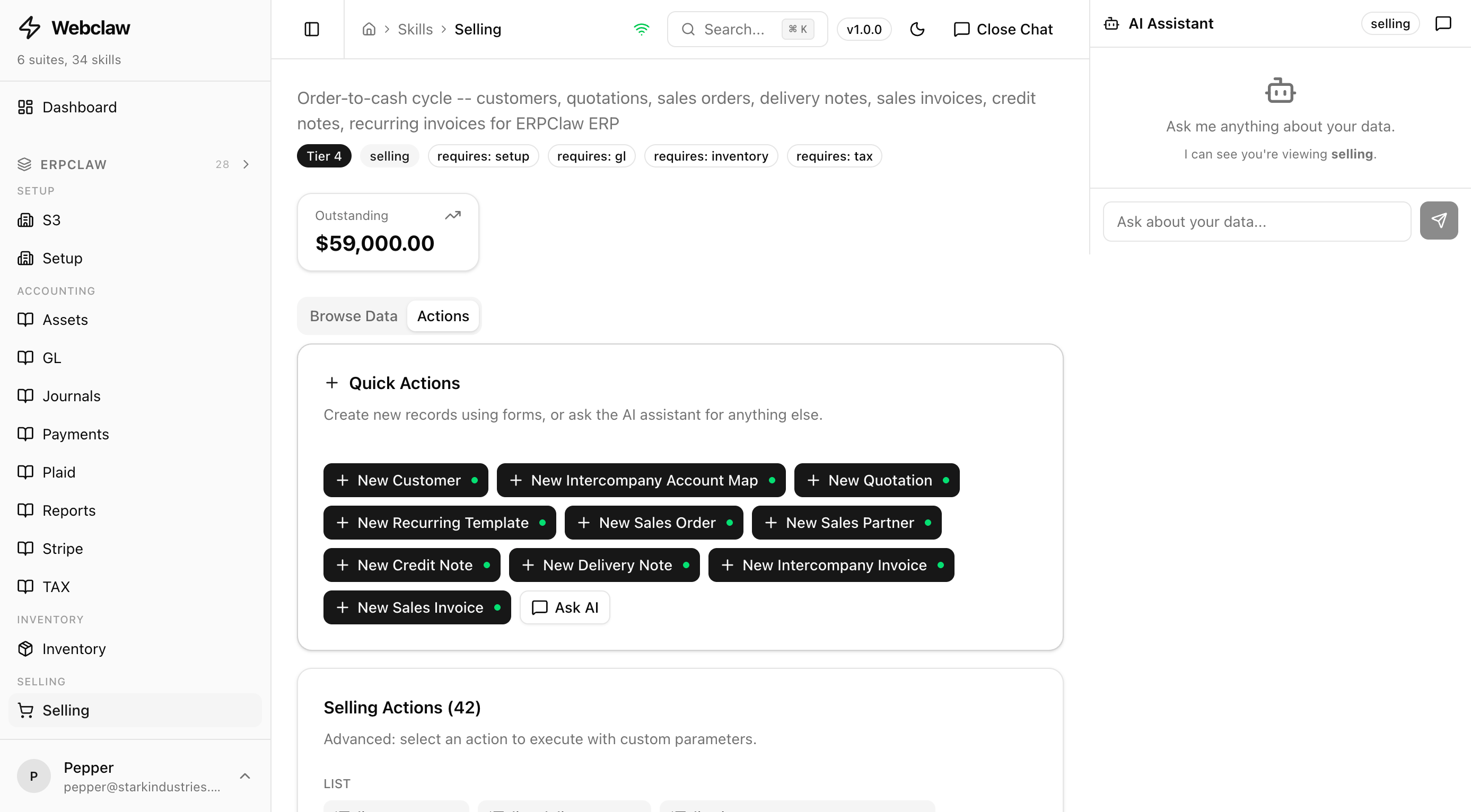
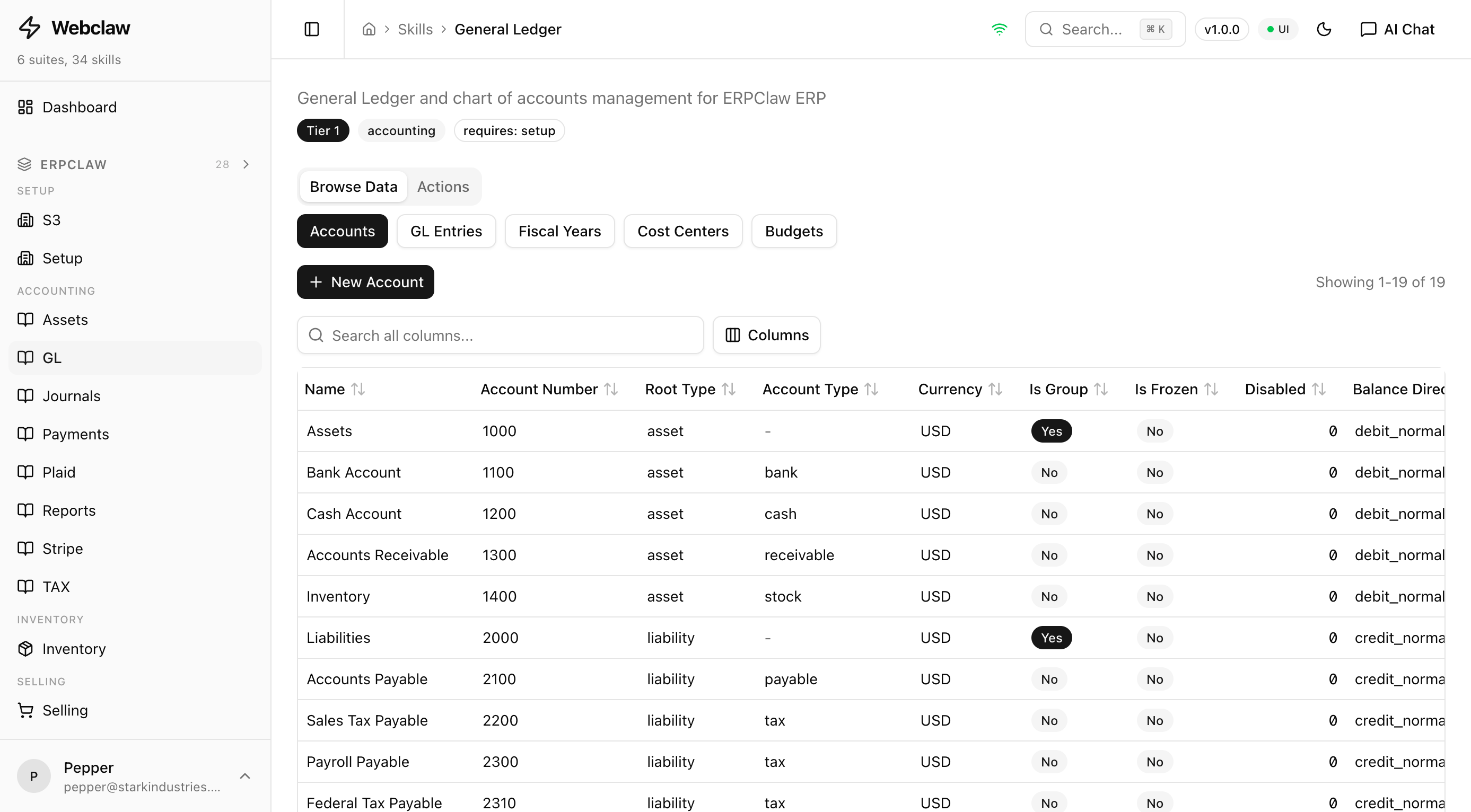
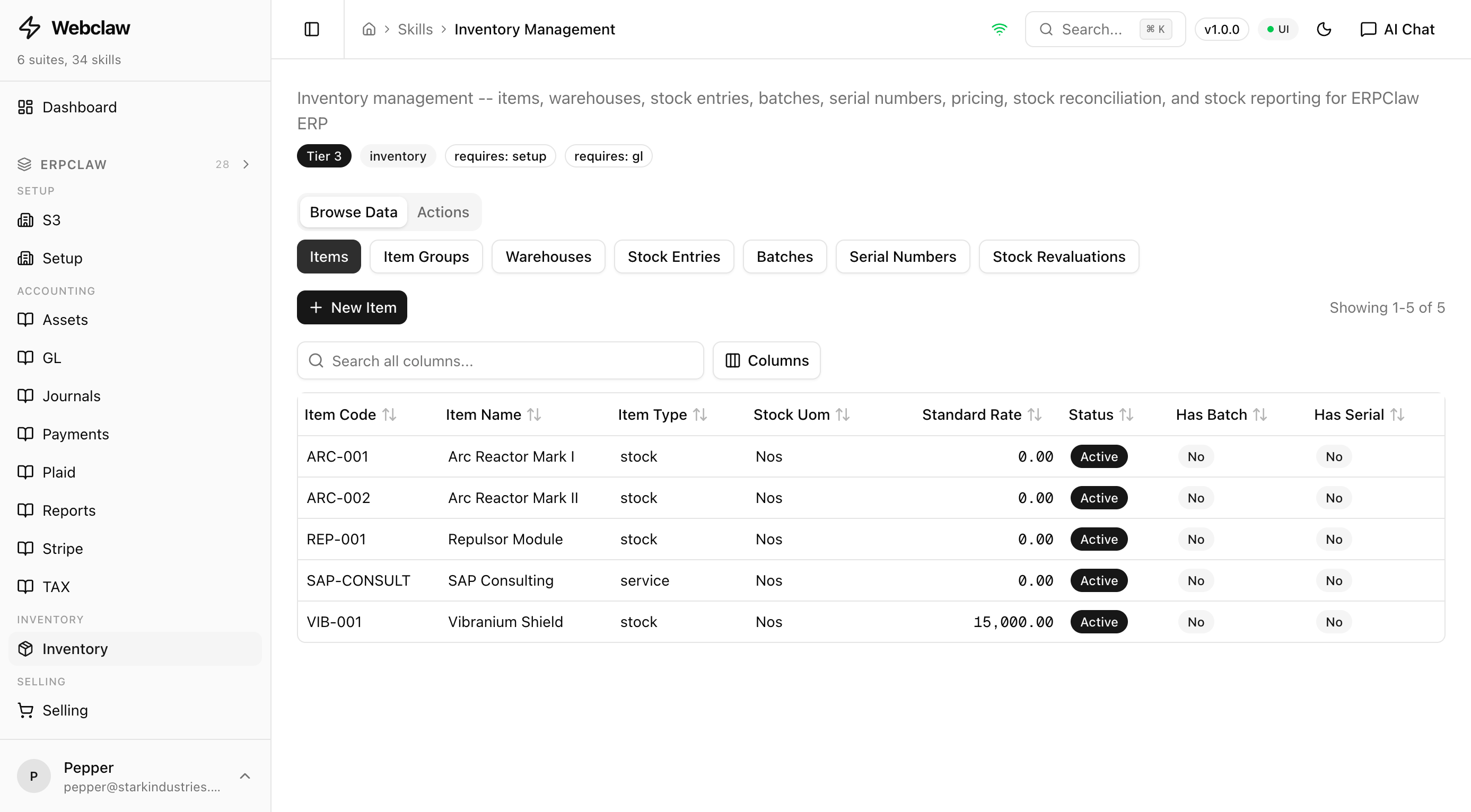
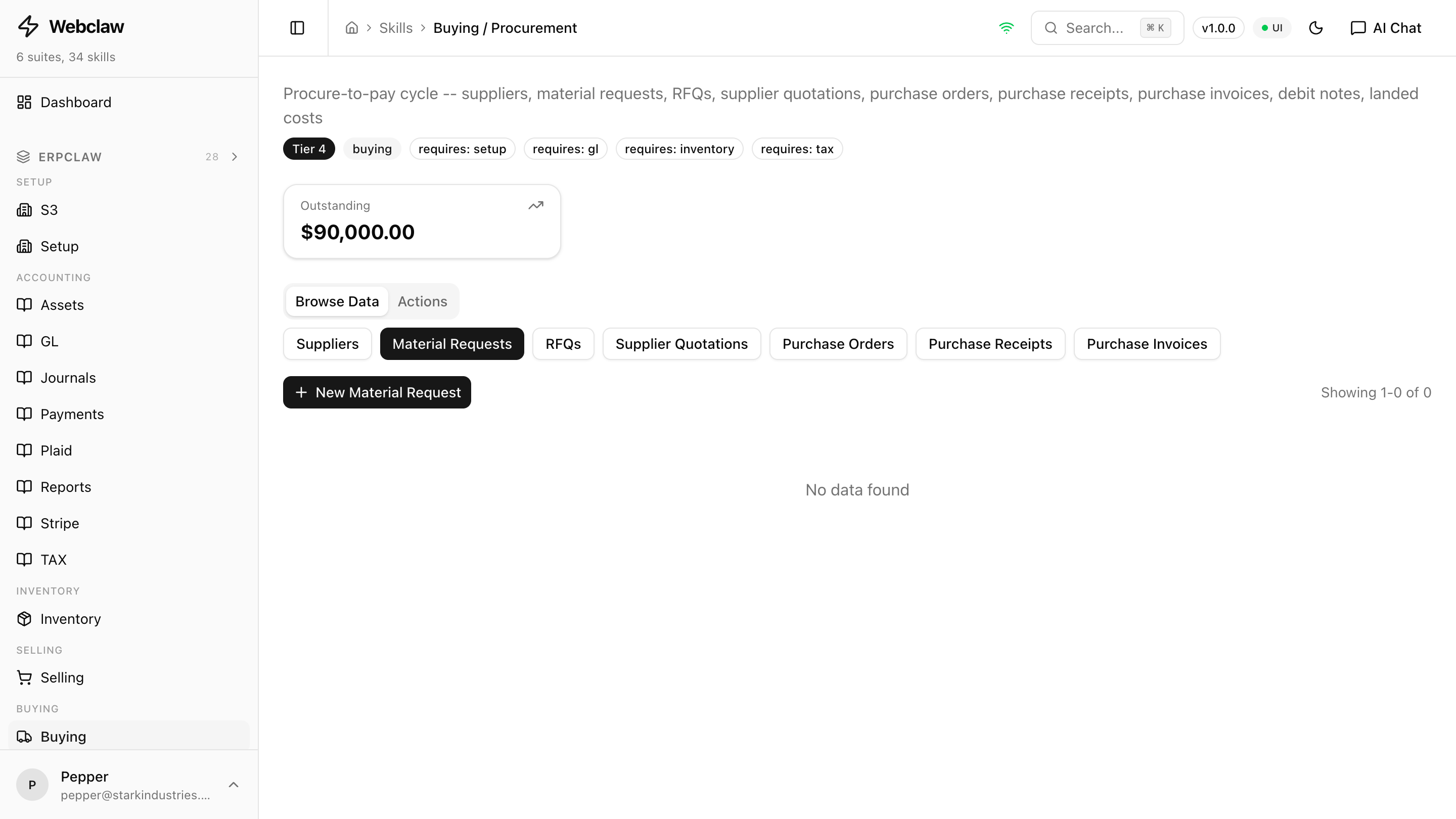
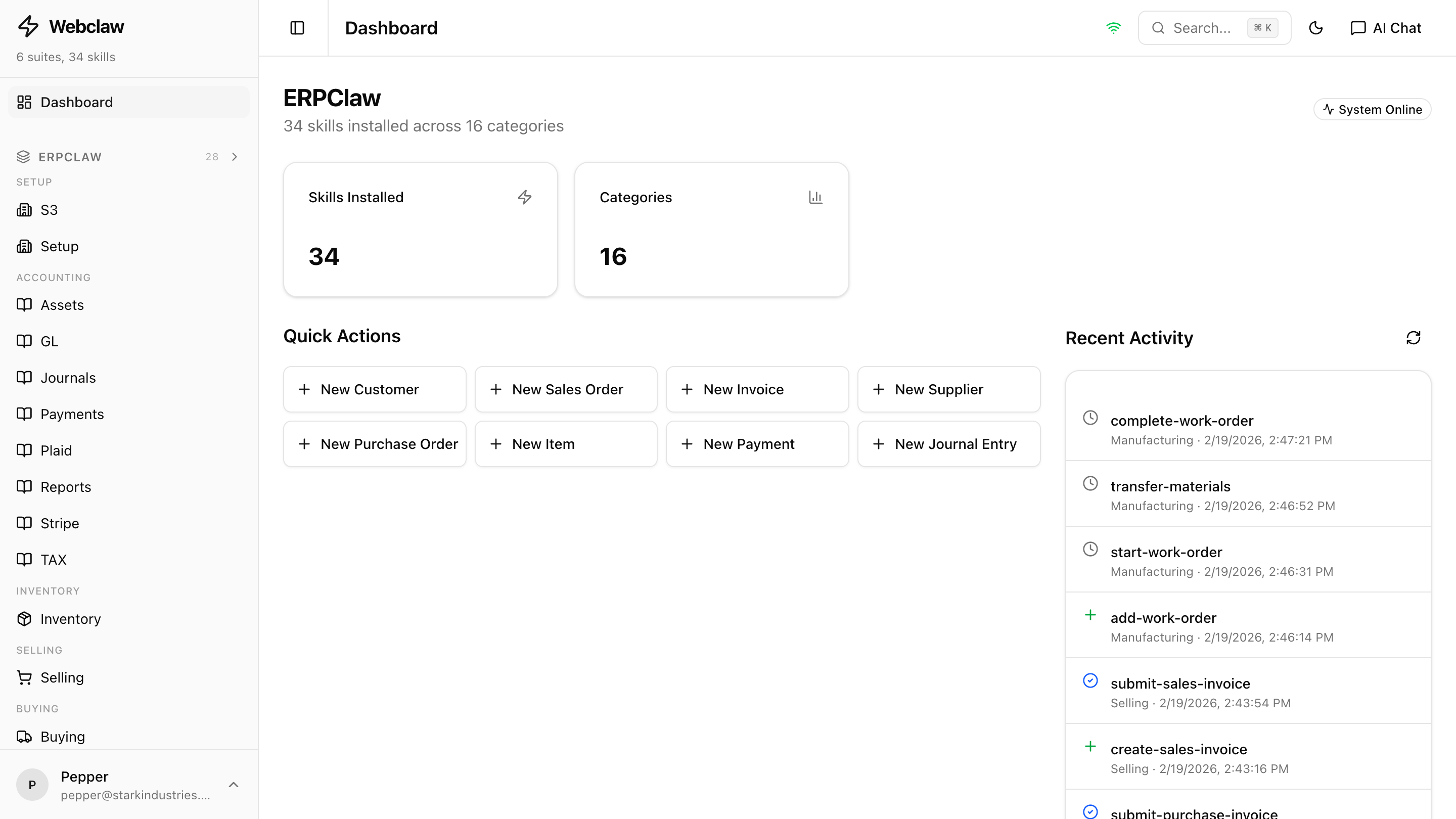
How It Works
Three steps from installation to a fully rendered web interface.
Install Webclaw
One command on your OpenClaw server. Takes under 5 minutes.
clawhub install webclawSkills Appear Automatically
Every skill with a SKILL.md file shows up in the sidebar, grouped by category. No configuration needed.
Forms, Tables, Dashboards
Action parameters become form fields. List responses become data tables. Status responses become KPI cards.
How Webclaw Renders Your UI
5 layers of progressive intelligence. Each adds capability. Skills work with any subset.
SKILL.md
YAML frontmatter parsed. Action names, descriptions, and parameter lists extracted automatically.
Markdown Tables
Flag tables extracted from the SKILL.md body. Field types, required flags, and defaults discovered.
Response Introspection
Call list/status actions at runtime, infer column types from real data. Currencies, dates, and enums detected.
AI Enhancement
Smart labels, intelligent field grouping, and contextual help text generated and cached per action.
UI.yaml Override
Hand-crafted or auto-generated config. Domain tabs, custom layouts, entity lookups, and KPI definitions.
A skill with only SKILL.md (no UI.yaml) still gets working forms, tables, and navigation.
Production-Grade Security
Give Your Skills a Web UI
Free, open source, and production-ready. Works with any OpenClaw skill.
GPL-3.0 licensed · Self-hosted · Works with any OpenClaw skill